
Software Engineering · Web Application
Minimalistic
Weather App
A simple, elegant, and highly functional weather application that integrates time, timezone, and calendar with weather forecasts—making planning practical and intuitive.
Role
Full-Stack Developer & Designer
Timeline
3 weeks (Personal Project)
Tools
Next.js, TypeScript, Vercel
Live App
Try It OutSee It In Action
Quick demo of the Minimalistic Weather App
Core Value Proposition
Integrating Time, Timezone, and Calendar with weather forecasts. This provides a holistic view of future conditions tied directly to a user's schedule and local time—making it more practical than a simple 3-day forecast.
The Challenge
Standard weather apps provide generic forecasts without context. Users who need to plan activities—travelers, outdoor enthusiasts, event planners—struggle to connect weather data with their schedules. Generic daily forecasts don't answer: "What will the weather be like when I have my 3 PM meeting outdoors?" or "Should I plan my trip for next Tuesday based on timezone differences?"
"I wanted to create a weather app that doesn't just tell you the temperature—it helps you plan your day around it."
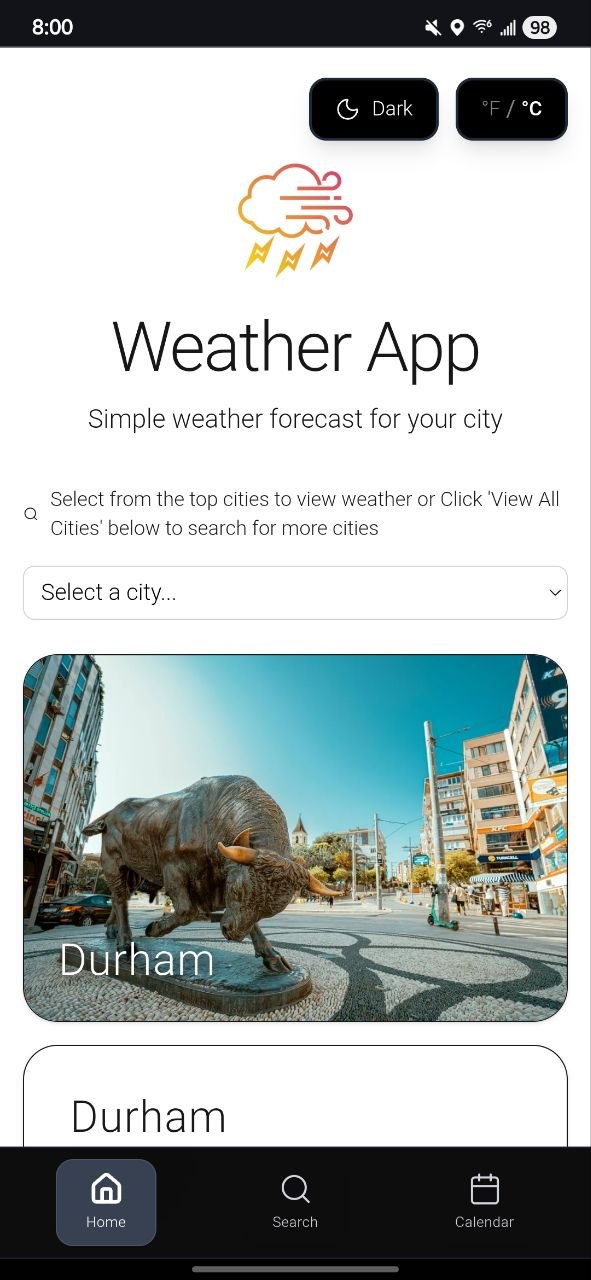
Clean, minimalistic landing page with quick city selection
What Makes It Different
I addressed the gap in standard weather apps by building two core features that transform how users interact with weather forecasts:
Calendar Integration
A dedicated /calendar view integrated into primary navigation, linking weather data directly to scheduled events or future dates. This highlights focus on user planning and information architecture.
Time/Timezone Component
Essential weather details coupled with current timezone data and a granular time-of-day forecast. This addresses the user pain point of generic, static daily forecasts—emphasizing attention to detail and solving a real-world problem.
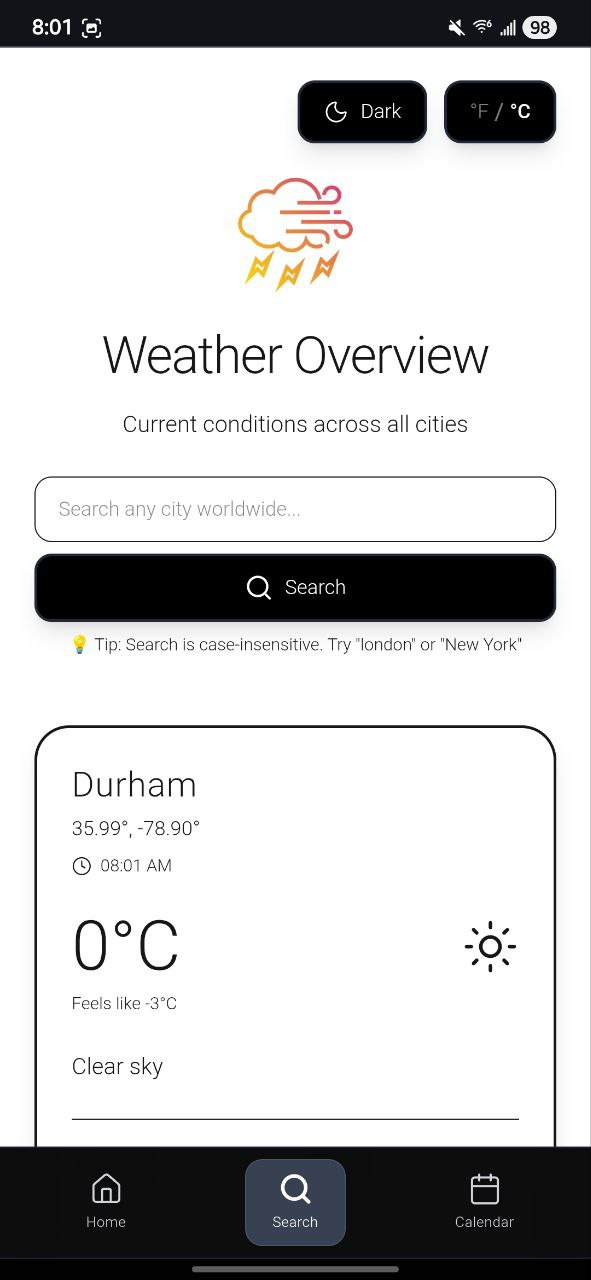
Weather forecast with time and timezone integration
User Settings & Usability
Theming
Toggle functionality to switch between Dark Mode and White Mode for optimal viewing in different lighting conditions
Unit Preference
Users can select to view temperatures in either Degrees Celsius (°C) or Fahrenheit (°F)
Interface & Navigation
The interface is designed for simplicity and efficiency, adhering to minimalistic principles. Every element serves a purpose, and the navigation structure ensures users can quickly access the app's core functions.
Main Components
- • Branding: Logo and clear tagline—"Simple weather forecast for your city"
- • City Selection: Quick-select cities (Durham, New York, Tokyo, Accra, Lausanne, Santorini) with search functionality via "View All Cities"
- • Primary Navigation: Three-link structure (Home, Search, Calendar) for quick access to core features
- • Personal Touch: Footer includes "Made with ❤️ by @theoriginalmapd"
| Link | Purpose | URL Path |
|---|---|---|
| Home | Default landing page for viewing weather forecast for a selected city | / |
| Search | Dedicated page for finding and selecting any city globally | /weather/all-cities |
| Calendar | Core value feature for integrating weather with planning/dates | /calendar |
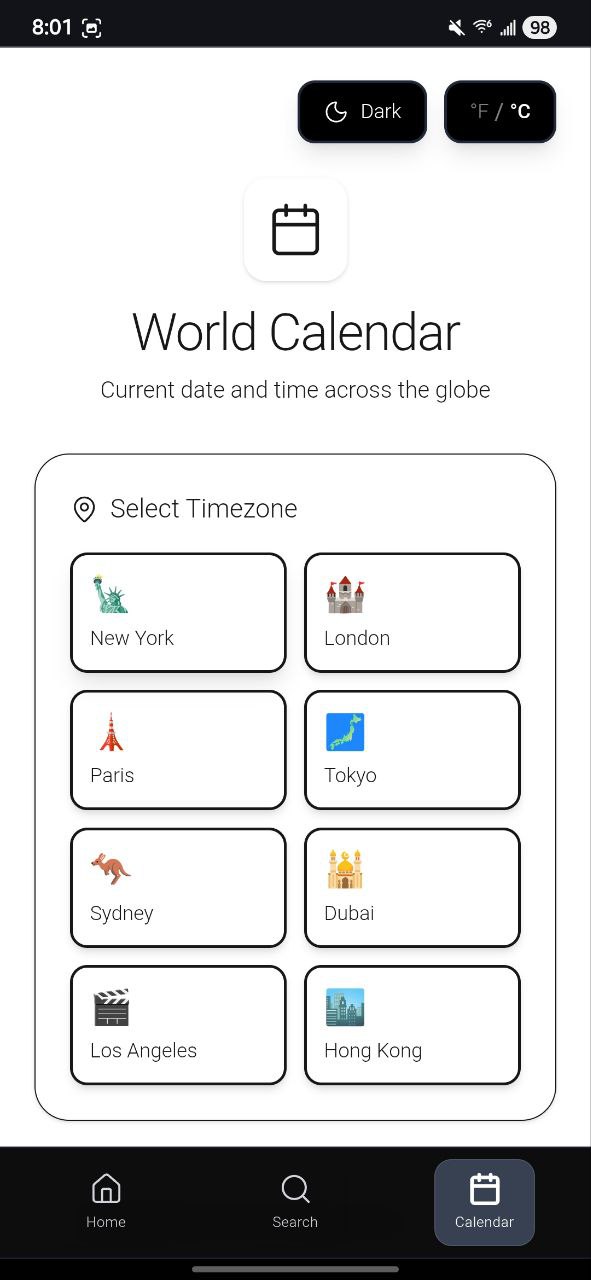
Calendar integration showing weather aligned with future dates
Technical Implementation
I built this app using modern web technologies optimized for performance, type safety, and seamless deployment. The tech stack reflects industry best practices for production-grade applications.
Next.js
Server-side rendering and static generation capabilities for speed and SEO optimization
TypeScript
Type safety ensuring reliability when handling complex weather API data structures
Vercel
Fast, seamless hosting with integrated GitHub deployment pipeline
CSS-in-JS / Module CSS
Modern styling approach enabling dual-theme (Dark/White Mode) functionality
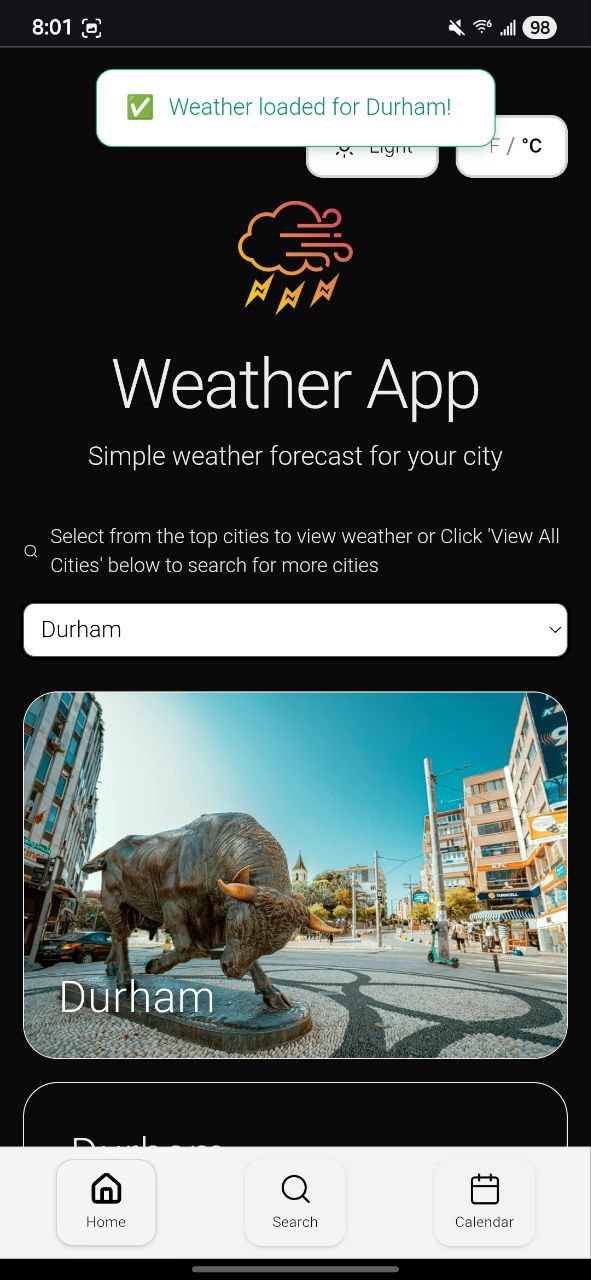
Search page for finding any city globally
What I Learned
Building this weather app taught me that great design isn't about adding features—it's about solving specific problems elegantly. The challenge wasn't creating another weather app; it was understanding why existing solutions fall short and building something genuinely more useful.
I learned to balance minimalism with functionality. Every design decision—from the monochromatic palette to the calendar integration—was intentional. This project reinforced my belief that simplicity, when done right, is the most sophisticated solution. The technical implementation with Next.js and TypeScript taught me how to build scalable, type-safe applications ready for production deployment.
Who It's For
This app is designed for users who need quick, precise, and schedule-aware weather information:
Travelers
Plan trips across timezones with weather forecasts aligned to local time
Planners
Schedule events confidently by integrating weather with calendar dates
Outdoor Enthusiasts
Access granular time-of-day forecasts for activities and adventures